I love naiveté. Not being sarcastic– for reals. For a lot of ministry folks I am the first creative person they’ve tried to hire.
Here are things you may hear me say when I talk to a prospective McLane Creative client:
Yes, I will help you if I have time. No, the best stuff in life is actually not free. Yes, I will charge you even if you are in ministry. No, I don’t discount because you are in ministry… so am I. Yes, there is a difference between being available and free. No, my job isn’t to do everything for you, it’s to give you ideas. No, I will not do a proposal since you called me. Yes, I will give you an estimate for free. No, you won’t get anything from me until you pay 50% down. No, I do not believe the concept that there are no new ideas under the sun… otherwise you wouldn’t have called me. No, I don’t understand why you think it’s OK to ask me for ideas for free. If you are going to get paid for my ideas, shouldn’t I be able to get paid to? Yes, you can call me back after you think about it.
That said– McLane Creative is growing! I now have Adam 2.0 on my team. (aka Dave Luke Design) If you are looking for a WordPress solution for your own blog or your organization, average projects are $750 – $2000, contact me.
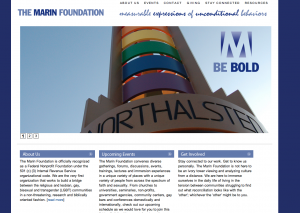
Here’s our latest work: The Marin Foundation (Two more sites about to launch)