Tag: Mac

  • How Apple Handles Viruses

    the rainbow connection of apple logo

    As a recent convert to Mac, I truly enjoy the simplicity of our computers. When I say “convert” I also mean that literally. We went all out. I have an iMac, MacBook, and MacBook Pro in my house. 

    With that many Macs in our house I try to keep up on the latest news. And any time Apple tells me to update my computers I do it right away. 

    But I’ve also learned to read between the lines as I have a suspicion that Apple sees the release notes of their updates as public relations. Look how they describe how the latest security update fixes a hole in their software for a virus.

     A design issue exists in the Open Scripting Architecture libraries when determining whether to load scripting addition plugins into applications running with elevated privileges. Sending scripting addition commands to a privileged application may allow the execution of arbitrary code with those privileges. This update addresses the issue by not loading scripting addition plugins into applications running with system privileges. link

    That’s all a lot of jargon. Let me translate. “Open Scripting Architecture allows hackers in.” And by sending out a fix it makes it pretty clear that somewhere a hacker has been exploiting Mac users. I don’t have evidence for that theory, but this statement would imply that.

    A Prediction: Mac OSX will be in the news because of a major virus in the next 12 months. Here’s a few reasons why I say that:

    #1 Mac users are arrogant about their operating system. They brag how their machines don’t have viruses. I’ve heard people say that Mac is immune to viruses. You’re telling me that Mac is absolutely perfect? Um, they send out updates all the time. And last time I checked it was a company run by fallible humans.

    #2 Macs popularity has exploded. There are new users everywhere you look. It was said before that the reason Macs weren’t a target of viruses before was that they represented so few users. I’ve seen my web traffic increase from 3% in 2005 to 15% in 2008 from OSX. That’s a much larger target worth hitting. 

    #3 Hackers are also arrogant. Believe me… there would be high 5’s all over hackerworld for a person who exploited Mac in a big way first. It’s a big huge target and someone is going to hit it. They know that a growing population of new users are the perfect targets because their ignorance and arrogance has made them lazy about security.

    #4 Being a user and a fan makes you blind to reality. Apple has built such a strong brand that their fans vigorously defend the smallest slight towards their perceived perfection. You’ll notice Apple says very little and their fans talk endlessly. It’s a blessing and a curse for the computer maker if you ask me. Look, I have 3 of them in my house and I know they aren’t perfect. But don’t tell hardcore fans that. This is the perfect reason for a hacker to target Mac! Hackers will celebrate the crushed egos of Mac users.

    With all that said I ran that security update and I’ll run all the updates Apple tells me. Let this be a reminder to my fellow users to run Time Machine often. 
  • Paul and the Internet

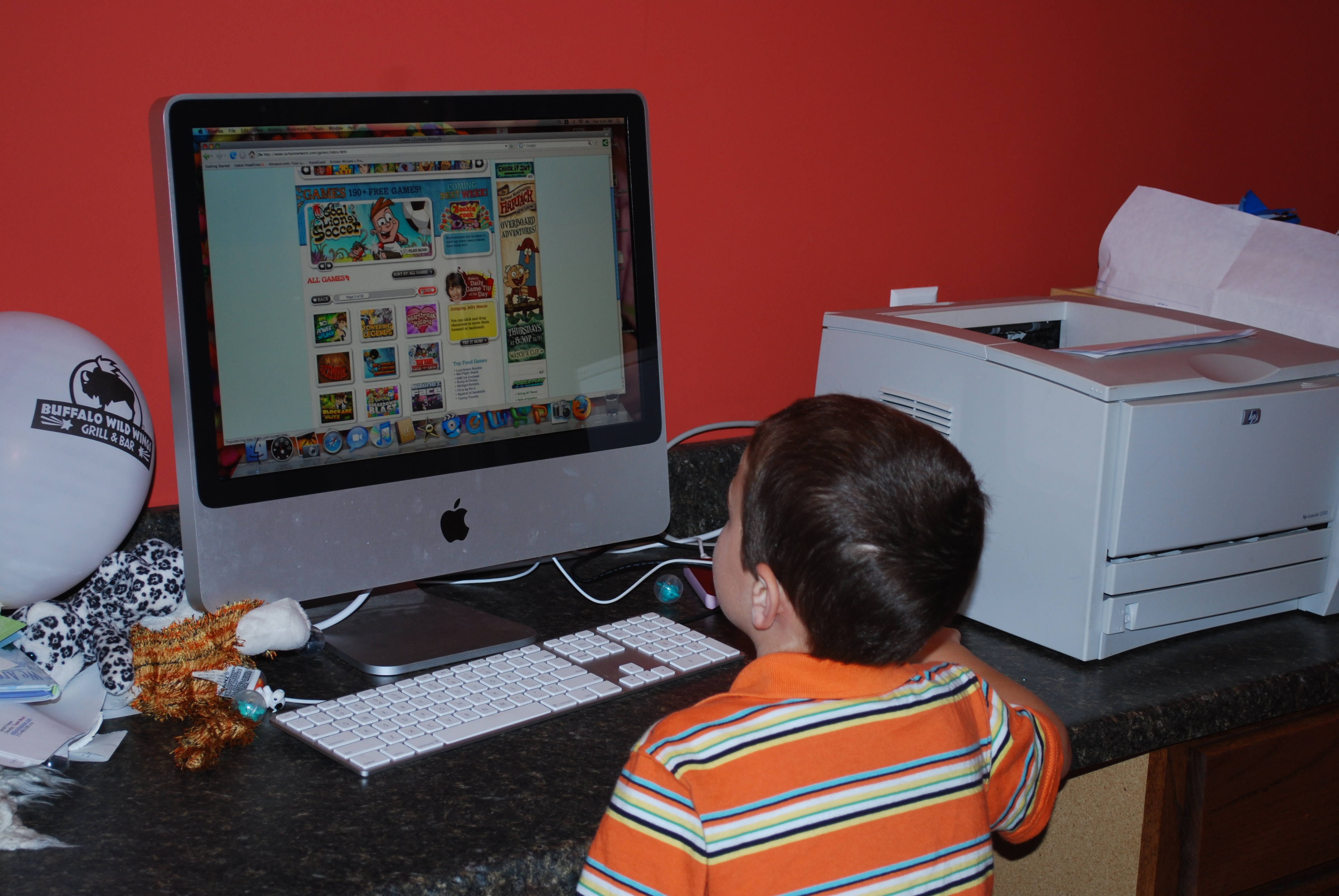
    Paul loves his macI’m a web geek, my wife is a (hot) web geek, and my kids are web geeks. If you don’t have young kids I don’t think you really understand what I mean by “our kids are web geeks.” So here is a visual for you. Paul, who turns 5 next week, navigates the web very well.

    Paul can launch Firefox, click the address bar, and type in the URL of his favorite websites. From there he can completely navigate these sites. This includes some relatively complex things like typing in user names and password and printing documents. Here’s the catch… Paul can’t read. He is 4 years old.

    Imagine all that Megan can do? She is 7 and has mastered browsing the internet, google, and can even launch various programs like Word. One of her favorite things is to write letters, play with the fonts, print them out, and hand them to her friends.

    Sidenote to educators. You need more computers. While my kids may be slightly above the norm you need to step up both the rollout of computer time and the quality of projects you have them do. In first grade Megan would come home and say “I hate computer time. I already did everything at home and was bored.” Yeah, better step it up there to keep her enthusiasm. I don’t care that everyone doesn’t have broadband internet and everyone doesn’t have a computer at home. Educate my kid or you’ll lose her attention. And upgrade the teachers. Got a teacher that doesn’t want to use the computer? Fire ’em. Seriously. My kids don’t need teachers who were good twenty years ago. They deserve a teacher who will educate them for the future. Fire ’em and hire someone who can teach. Do it today. Then you’ll see your precious scores go up. Deal?

    3 Websites ruling the roost this summer

    #1 Club Penguin

    #2 Webkinz

    #3 Cartoon Network

    How do the do this? Just like web browsers are smarter these days, wed design education is smarter as well. The operative word these days is “Interactive media design” or “IMD” for short. 

  • Computer Issues

    Just to prove that I am not immune to technology problems, hear my tale. Yesterday I was doing normal work stuff… had open Word, iTunes, iChat, and Mail. Then iTunes started freaking out. Then it spread and Mail wouldn’t work right. I did a reboot and a few other normal Mac fixes.

    Long story short, I dashed off to the Apple Store for an 8:00 PM appointment to have my laptop looked at. After fiddling with it for about 45 minutes it was decided that they’d keep it over night. The guy at the Genius Bar said it wasn’t the hard drive and it wasn’t anything obvious. (We both agreed that if it were a Windows machine we’d presume it to be a virus… that’s how this thing operated.)

    I’m hoping to get it back later today. I really need it as it has a lot of stuff for MainStreet tonight as well as some stuff for meetings Thursday.

    To make it worse, my trusty smart phone is acting up. Generally I can depend on my getting all of my tech stuff done between my phone and my laptop. This is an interesting revelation for sure.

  • I love my Mac, but it’s not perfect

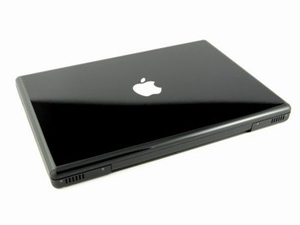
    macbook blackIn December and January our household made the move to Mac. It wasn’t any easy decision nor a cheap one. We moved to Mac because we wanted to… pure and simple.

    I am a power user as I do nearly everything on a computer… video editing, web design, desktop publishing, podcasting, graphic design, small business accounting, and of course web browsing.

    So when I switched I had to make a fast transition. My task list waits for no one! With the clock ticking in my head and meter running with stuff to complete I had to to figure everything out and figure it out fast.

    Why? Because I’m not just a single user… I’m also one of those people whom everyone comes to with their tech problems.  Not only do I end up having to figure out my own computer dilemmas, I get 2-3 people a day asking me to fix their computer issues. (And cell phones, video cameras, projectors, sound systems, and about anything else that dings, beeps, or is portable.) So adding the OSX platform to my repertoire was a big deal!

    Here’s my advice to people considering the change. If you are going to change EVERYTHING you do to Mac OSX and never have to interact with people outside of Mac OSX, go for it. You’ll love it. But if you have to live in a Windows world, do business with people who use Windows, or otherwise depend on your Mac OSX work to work seemlessly with users on Windows… don’t do it. I have found the “everything a PC can do a mac can do too” story to be a lie. It can’t and it doesn’t.

    I’m a pretty smart cookie when it comes to computers and I’m finding it more frustrating than problem solving. I can generally find a work-around. But time is money and who has time to fiddle 5 extra steps?

    Here are a few things I am still not thrilled about with our Mac transition.  

    • Our macs network wonderfully with one another, but really suck in networking with Windows machines. It very sporadically connects to our Windows Exchange server at the office. I can generally connect via Finder only. But I can almost never connect to the network through Photoshop or Office programs. And it took hours of fiddling around to get my Windows machines to connect to my Mac OSX machines. If you have XP Home… forget it. It doesn’t work. Mac blames PC and PC doesn’t care.
    • My macbook is horribly slow. There. I said it. If I have more than 2-3 applications open (and I do all the time) it lags forever in opening files. I still have the standard amount of RAM, 1 gb, and need to upgrade to 4 gb. But I have to be honest… my 3 year old Dell laptop with 512 MB of RAM is a lot faster than my snazzy new macbook. I almost always have Firefox, iTunes, PhotoShop, and an email client open… on PC this was no big deal. On Mac OSX this results in programs lagging forever or crashing. And that is annoying.
    • Most peripherals work great, but not the ones that I really need. Mac OSX handles printers like a champ. It is also fantastic when I plug in a random video camera or digital camera. But I can’t connect my phone (HTC Smartphone) to my laptop and that sucks. I loved that I could plug my phone into my old laptop and it synced my calender, email, contacts, music, etc. I miss this horribly.
    • I’ve lost, for now, all the benefits of an exchange server. Entourage connects to server… but it doesn’t seem to be able to accept tasks, calendar invites, or any other cool stuff from exchange. And that’s annoying!
    • I hate that I have to buy $30-$50 plug-ins for everything. Reality is that I have to interact with a Windows world. For my most important tasks, getting stuff prepared and ready for Sunday morning services, I need to transfer my work from my macbook to our PC-based presentation programs. So I bought Quicktime Pro because I read that it would allow me to convert stuff I made in iMovie into Windows formats. That was a total rip off! I can only export a 30 second clip in .wmv format without buying an additional $50 add-on from Windows. That was the only feature I needed to work… so Quicktime Pro was a total waste of money for me. Exporting to .avi is what all the mac-heads suggest. But those files are sickly massive. A 20 MB file in Quicktime will convert to 600 MB in .avi and often times I lose a ton of the quality in the conversion.
    • Mac doesn’t have nearly the freeware that PC does. For instance: I have a very cool, free program for Windows that converts video files to Flash video. (FLV) Without buying Adobe Flash I haven’t found a single program in Mac that will do this for me. In fact, I am often left taking my swanky Mac-produced video files and putting them on a PC to convert from .m4v or .mov to a usable Windows format or web-ready format. Mac OSX simply doesn’t have the programs I need. (Which I can generally find for free for Windows)

    These are my honest and true frustrations. I am committed to this transition… I ponied up the money for an iMac and a Macbook… so I’m not just some naysayer. Yet I want to be honest, transitioning to Mac OSX has come with a lot of frustrations. If I had it to do over again I probably wouldn’t have done it. I would have saved myself half the money and just bought good XP Pro machines. Sure, I look cool at the coffee shop. I look cool when I go to conferences. I can do a lot of things better on Mac than I could on my XP machines… but it isn’t perfect. It isn’t as I expected. And no matter what people say a transition of operating systems is anything but seemless.

    Thank God I have great friends who use Mac OSX. If I didn’t I would have given up!

    At least I know how to use the keyboard now. 

  • Less than perfect Apple experience

    Dress MacSo I don’t get flamed, let me first say that there are a lot of things I like about my new iMac. It’s pretty and it has loads of power.

    OK, that’s out of the way. Now I can complain about the things I’m not thrilled with on my new computer.

    1. It arrived with the wrong operating system. This cost me more than a few hours of my life. While it’s true I didn’t have to pay for Leopard, Apple shouldn’t have sold me a computer with their old operating system at full price without telling me. When I’ve complained about his to other Apple users I’m basically blown off as if this weren’t a big deal. It’s a big deal. I consider my time to be valuable.
    2. It won’t “just connect” to my Windows network at home. I have fiddled with it for ages trying to get the new operating system to talk to our XP Home desktop and my XP Pro laptop. The only solution I could make work was getting my laptop to talk to the Mac one way. In other words I can use a Windows computer to access the Mac but not visa versa. I’ve read dozens of tutorials and helps and it won’t work. That’s not cool in my book. It takes less than 2 minutes to do this in XP… 4 days and still not working on the Mac.
    3. There is really no introduction to Mac/Leopard available. I would consider myself pretty web/tech savvy when it comes to Windows and it has taken me a week to feel like I know how to do some things. If it weren’t for Patti and a few other long-time Mac users I probably would have just taken it back to the Apple store and went out and bought 2 new Windows desktops. At least with Windows I know how to make stuff work. Seriously, if they are looking for flocks of hardy Windows users to convert they are going to have to make the learning curve a whole lot less. I haven’t even figured out how to install new programs yet… at least not “the right way.” When I booted the thing up the first time I wish there was an introduction I could have watched to teach me most of the stuff I’ve had to ask about.
    4. Customer support is actually pretty average. Other than being American-based and not available 24 hours I don’t see anything atypical about being hung up on, put on hold for long amounts of time, and otherwise not helped. I explained my problem to a customer service person and she actually laughed at me. Way to make me feel like a million bucks, lady.
    5. Too many things that your expected to just know. Apparently you aren’t supposed to put DVDs with paper labels in an iMac. When I discovered this on an Mac users forum I was pretty annoyed. It’s just like the fact that my computer didn’t have Leopard installed… I was supposed to just know that too. So it took me a couple hours but I finally got that disc out.

    I know I sound ungrateful. This is a very pretty machine. My kids love it. Heck, I love it. But my experience is so far is that Mac just proves everything Seth Godin wrote in All Marketers Are Liars. The marketing department created a “lie” (e.g. marketing strategy) that their users believe. And they believe it to the core. Whether or not Mac is better than Windows isn’t even the discussion. The assumption that the user base has is that it is a superior product in every conceivable way.

    My point here is that I want people who are switching (as I am) to know that it’s not as easy as you think it’s going to be. Switching platforms is a radical change in how you use a computer. I am not saying “don’t do it” but at the same time I want potential people for the switch to know that it’s not a matter of taking the thing out of the box and plugging it in either. It’s a big change. It’ll take you a long time until it feels natural. All the time I am switching back to my laptop because I can do something easier, faster, and better on Windows than I can on Mac.

    Put that in a commercial!