Tag: online storage

  • Work in the Cloud

    Storing important files locally is so 2008.

    I don’t need Microsoft Office anymore. Actually, I’ve used it decreasingly less for a few years now. Instead, I useĀ Google docs for that. (Or Evernote on my iPhone.) The first thing group of editors do when they receive a new article for youthspecialties.com? Upload it to Google docs. When they are ready to share it, they don’t have to email it, they just share it and everyone on the team has it. When I need to write some copy on the fly, I just open a Google doc, invite a collaborator, and start writing. I can’t tell you how many times I’ve been writing a paragraph ahead of someone who is editing. I finish writing the copy and 30 seconds later its edited and ready to go out.

    I don’t need a server at work anymore. If you opened up my personal folder from work you’d only find a few old back-ups. Why store stuff there and go through the awkwardness of connecting to a VPN when I can access it anywhere using Dropbox? As long as I have an internet connection my office is accessible. My file cabinets are mostly for show. Well, I hide gear in them. But no file folders. If I need it, I scan it and save it in the cloud.

    Photo by zarprey via Flickr (Creative Commons)

    Speaking of Dropbox, when I’m making stuff for McLane Creative, I just ask anyone else on the team to save their stuff on a shared Dropbox folder instead of on their computer. Dropbox installs on a Mac just like a folder… so that’s a snap. No more “can you email me the logo” stuff… everything from the entire project is right there. They make a change, everyone already has it. They want the creative brief? Done.

    I’m looking forward to more and more of my creative desktop applications moving towards the cloud. I don’t know that I’d like to be 100% dependent on a solid internet connection for everything I do with Photoshop, Dreamweaver, Illustrator, and Final Cut. But it would be pretty sweet to have the option of working off of a cloud-based drive and thinking about replacing the full version of them with a cloud-based version.

    But with Amazon’s S3 getting cheaper and now Google docs getting in the cloud storage gameyou can see we’re headed there.

    Why on earth would a start-up company buy a physical server (with ridiculous hardware and software costs at your scale) when they can store everything in the cloud for $.14/gb per month? I know I wouldn’t. And IT guys who flap their gums about security? They need to adapt their game. You’ll only be able to convince execs of those lies for so long. Remember IT guys capitalized on the Y2K lie, too.

  • Three New Mac Apps

    I’ve got three quick apps for the Mac to share. All of them are free , freemium, or stinking cheap. Maybe they will be useful for you, too?

    dropbox-logoIf you are anything like me– your work computer is a bit of a mess. I’ve got all sorts of work files mixed in with personal files, mixed in with stuff that I just used for a blog post or something like that. Keeping it all orderly and seperate is a big problem. But I think I’ve found something to help!

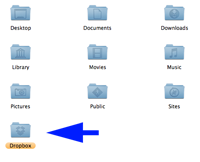
    dropbox-installDropbox basically installs a remote drive on your computer for storing files online instead of on your computer. There are other things, namely MobileMe, Mozy, or even a webdisk installed through your hosting service that can do the same thing. But I’ve found them to be either too expensive for what I need or cumbersome. (i.e. Not friendly to the Mac) But I like Dropbox because of its apps. Once you install the free software on your computer (mac or pc) and link your account it basically just runs in the background as a folder on your computer. When I put a file in the folder, it copies it up to the secure server, and copies it down to other linked computers. This all happens automatically, no tech skills required. If you are sharing an internet connection with people you can even throttle it. Once set up, I can access the file on another linked computer (like my home computer) or even my iPhone. I can even share files through the app… I just select the file or folder I want to share and it emails the person with a link. It’s a pretty rad little tool. Up to 2 GB of storage is free. (Plently for me.)

    tinygrab-logoI need to show people screenshots all the time. Whether I’m updating someone on the progress of a design, or putting together a tutorial, or if I just want to show someone something from the internet… I’m doing screenshots all day long. Command-shift-3 has long been both my friend and enemy. I could screen grab easily, but I’d always have to open up PhotoShop to clip out stuff I didn’t want/need the recipient seeing.

    I picked up TinyGrab as part of a recent MacHeist. This little beauty basically allows me to screen grab only what I want, and in the same action automatically uploads it to a server and gives me the link. By doing a command-shift-4 shortcut I get a little cursor that allows me to highlight what I want to grab. When I’m done it snaps the picture and uploads it. An instant time saver!

    sofortbild-logoYou may have noticed my recent fascination with time lapse movies. I think it’s a profound and fun way to capture the worlds movements. (more coming!) I’ve wanted to get software to do this with my Nikon for quite a while. But it was tough to justify spending $180 for Nikon Camera Control 2. It’s not like I had a real reason to do this… I just thought it’d be fun!

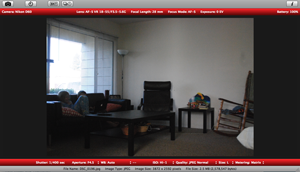
    sofortbild-screengrabThat’s why I was so stoked to discover Sofortbild. It’s essentially the same thing– and it’s free! (Sorry Canon freaks, this is just for Nikon right now. And it’s just for Mac.) Basically, I can set up my camera where I want to shoot, connect the USB cable, and then completely control the camera with my computer. When the pictures are taken (either remotely or manually on the camera) the images are transfered directly to a folder on my computer. You can shoot directly with your computer, manually, do a timed picture (like for a family portrait) or set-up intervals (time lapse). It’ll even import right to iPhoto! Now if it had an iPhone app where I could start or stop interval shooting remotely, that’d be crazy cool.

    So, there you go. Three quick new apps for you Mac users to try out. They are all free, freemium, or cost just a couple bucks.

    What are some new apps for the Mac you are discovering?