• 5 Tips for Securing Your Home Wireless Network

    5 Tips for Securing Your Home Wireless Network

    As we’ve been adding more and more devices to our home network I’ve been less concerned about monitoring who is doing what on our home network and more concerned about who has access to our home network.

    Way back in 2007 I wrote about adding our first password to our wifi to keep the creepy guy from using our wireless to do his creepy back-of-the-van browsing. But now, with so much of our lives revolving around internet connected devices, I really want to make sure that our system is as secure as I can reasonably make it without obstructing normal day-to-day use… at the very least, we don’t want to be the easiest target on the block.

    Why does this matter? It’s actually fairly easy for people to get on your network, access your computers hard drive, and grab stuff. That might not seem like a big deal… but it is! Do you really want someone finding your folder labeled “Tax Returns” or looking through your bank records? I think not.

    So, while not bombproof, here are some practical tips for securing your home wifi.

    5 Tips for Securing Your Home Wireless Network

    Tip #1 – Password Protection

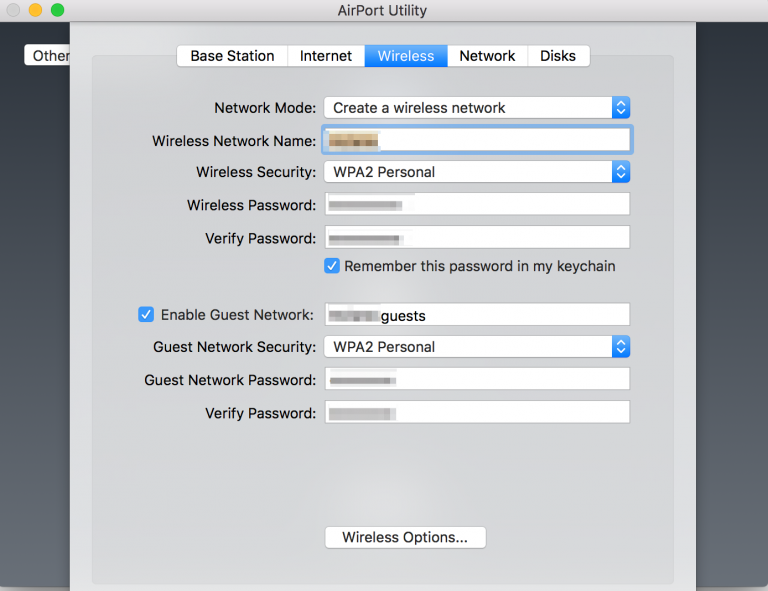
    Screen Shot 2016-03-04 at 10.21.15 AM

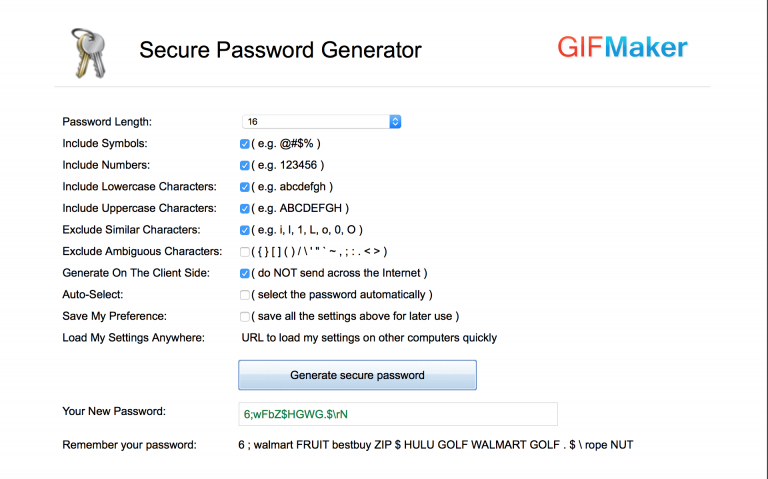
    This is the simplest thing you can do but I’m really surprised by home many people skip this step. Don’t use something that’s a combination of the word “password” and don’t make it the same word as your network… if you want to pick a network password that’s really, really hard to guess, use something like the Strong Random Password generator. Afraid you’ll lose it? Print it out on a notecard, tape the notecard to the back of the router. Sure, that’s not absolutely secure… but let’s face it that you’re wanting to keep people off your network who will never come in your house.

    Extra Tip: If you regularly have guests… make a little wifi instruction card for the guest room, it’s much appreciated!

    AirPort Extreme - WAN Access to Network Drives
    AirPort Extreme – WAN Access to Network Drives

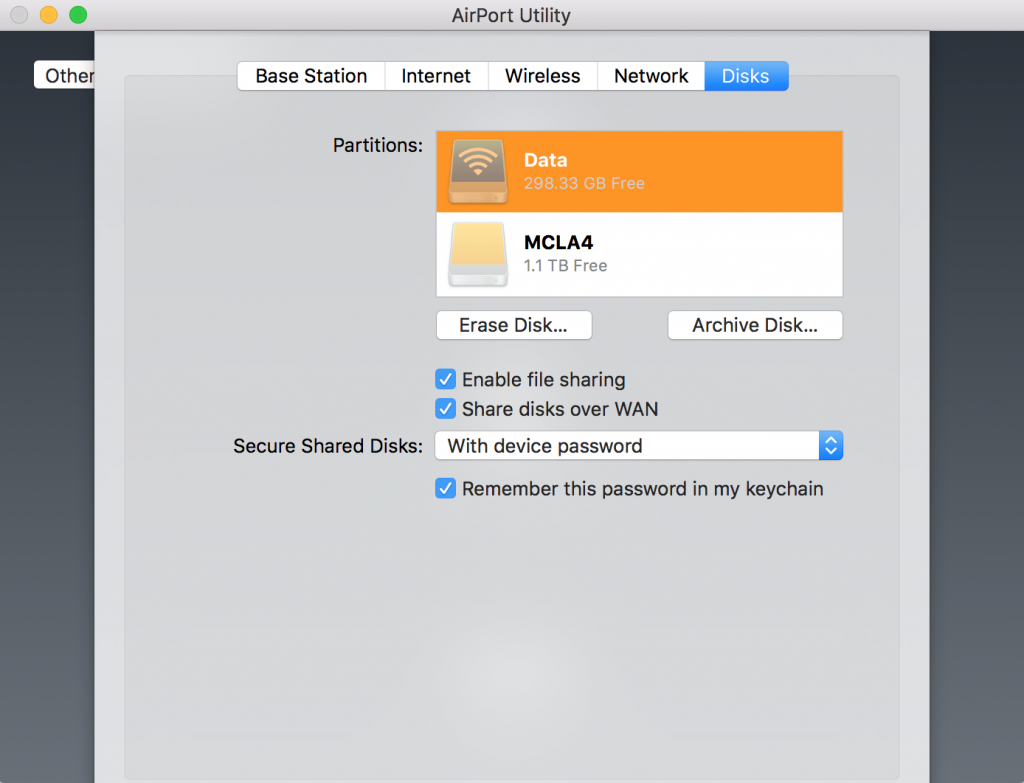
    Extra Tip: We use the AirPort Extreme, which both does regular backups for all of our Apple devices and allows us to add cheap USB hard drives for extra network storage. You can easily set this up so that you can access that USB drive anywhere in the world… just make sure you’ve got that password protected, too!

    Tip #2 – Upgrade Your Physical Equipment

    While there haven’t been giant leaps in wireless routers and modems in the past decade, chances are good that you might have an older wireless router that’s actually slowing things down for your home network AND has outdated security settings. Honestly, when was the last time you even logged into your home wireless router to look to see if there was a firmware update? Probably never!

    A couple years back we upgraded our entire system and things got a lot faster AND Apple’s AirPort Extreme has a great little interface you can access from any Apple Device. That makes it easy to login, see what’s up with the router, update any settings, and make sure the firmware has been updated.

    Most of the newer routers have a similar interface. The point isn’t that you have to have the newest, fanciest stuff. The point is that you should probably replace this equipment every 3-4 years just to keep things secure.

    Extra tip: If your router allows for automatic firmware updates, do it.

    Tip #3 – Know Who is Connected to Your Home Wireless Network

    Would you know if a new device got onto your network? In most cases, as long as someone enters the password… you’d have no idea that a new device even logged in. (Once a device is logged in they can pretty easily access what’s on the hard drive of other devices on your network. Surprise! They can even spoof your network into thinking their device is your devicedouble surprise!)

    You could use the terminal to see who is on your network. But that’s cumbersome and you’ll never really do it.

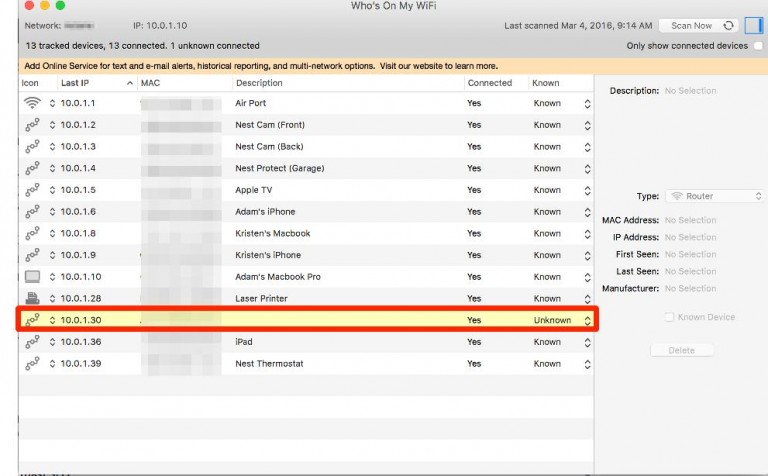
    Instead, I would recommend a couple easy and free options. I use a free app called “Who’s On My Wifi?” (Mac & PC) It gives you a basic look at what devices are on your network, allows you to add labels to them, and then alerts you when an unknown device logs in.

    skitch.png

    Extra tip: You really don’t need to spend any money on this… there’s a subscription service but a home user really doesn’t need it.

    Extra tip: You could step it up a notch by using a software firewall to monitor your home network’s traffic and block unwanted access using software with something like Glasswire. You could step it up two notches by adding a physical firewall that you’d install and configure between your network’s modem and the router.

    Tip #4 – Hide Your Home Wireless Network Altogether

    skitch

    We don’t do this. But if I lived in a high density area, say a residential high rise, I’d want to make it a little harder for anyone to even know I had a network… just to make it a little harder for the casual thief. Most routers make this very simple, turn it on, save your changes, presto.

    Tip #5 – Set-up a Guest Network

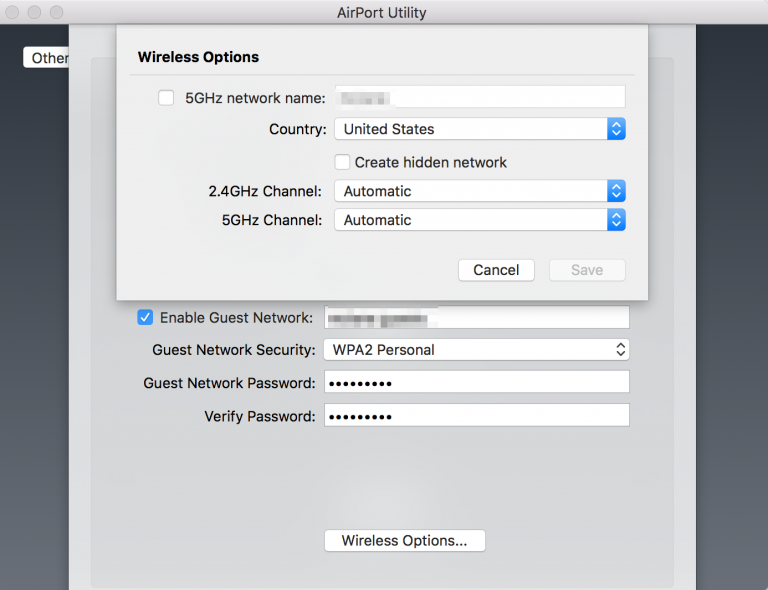
    skitch-2

    A lot of the newer routers have a built in option to create a guest wireless network using a built-in software firewall that separates guest traffic from your home wireless network itself. I think this is great if you have occasional guests over who you want to allow internet access. (Say, friends of your children!)

    Extra tip: If you want to do this in a more secure way buy an additional wireless router and a physical firewall. (Say if you rent out a guest room on Airbnb or regularly have people over at your house whom you don’t really know or trust.) You would connect your ISP’s modem to a physical firewall, then connect your home network with one port of the firewall and the guest network to a different port of the firewall. You could then configure the firewall to control access to the internet separately. That physical separation would ensure that your guests would have no access to your home network whatsoever.

    Share Your Ideas!

    Did I miss something? Have you tried something that’s helped at your house? Let me know in the comments!

  • February 2016 – “Youth Pastor” in the News

    February 2016 – “Youth Pastor” in the News

    Each month I publish a list of the search term “youth pastor” in Google News.

    Yes, this is an attack on youth ministry. Yes, this is personal. But it’s not me attacking us. It’s us attacking us. Our tribe destroys itself but while no self-change occurs. Collectively we devalue our profession in the eyes of the general public with each new instance of abuse, arrest, conviction.

    We must root out evil.

    We must create healthy ministries.

    We need training, coaching, professional standards, and accountability.

    If my drawing attention to this ticks you off…. good. It ought to make you sick that a profession which does SO MUCH GOOD in the world only makes the news largely for getting hired or gotten fired because they’ve been arrested.

    If you don’t like the news change it. Make the news for doing good.

    My daily prayer for youth ministry is that we, as a community of adults ministering to teenagers, would be good news in our neighborhoods. But prayer is not enough… join me in taking action.

    Without further delay, here is this month’s list.

    “Youth Pastor” in the News

  • Race in America

    Race in America

    “We need to talk about race in America.” 

    I’ve heard that phrase often. Whether it’s a political candidate stumbling over whether or not to disavow an association with the Klu Klux Klan or a pastor of an almost-all-white-church stumbling through an awkward conversation… it’s something you say that makes it seem like you’re really interested when in fact you aren’t.

    “We need to talk about race in America.” 

    For me, I see this as a placeholder phrase. It’s slightly better than saying “uh, I dunno.

    I think a lot of people truly are interested in cultivating change about race, but they just don’t know where to start. For me… it is intimidating because I am mostly ignorant of the way that society has privileged me. I find myself afraid to say the wrong things and consequently say nothing.

    So perhaps instead of saying, “We need to talk about race in America” I should start saying, “I need to listen better about race in America”?

    HABIT 5: SEEK FIRST TO UNDERSTAND, THEN TO BE UNDERSTOOD

    If you’re like most people, you probably seek first to be understood; you want to get your point across. And in doing so, you may ignore the other person completely, pretend that you’re listening, selectively hear only certain parts of the conversation or attentively focus on only the words being said, but miss the meaning entirely. So why does this happen? Because most people listen with the intent to reply, not to understand. You listen to yourself as you prepare in your mind what you are going to say, the questions you are going to ask, etc. You filter everything you hear through your life experiences, your frame of reference. You check what you hear against your autobiography and see how it measures up. And consequently, you decide prematurely what the other person means before he/she finishes communicating. Do any of the following sound familiar?

    source

    I can’t understand until I listen.

    I can’t change until I understand.

  • A Review of Nest Thermostat

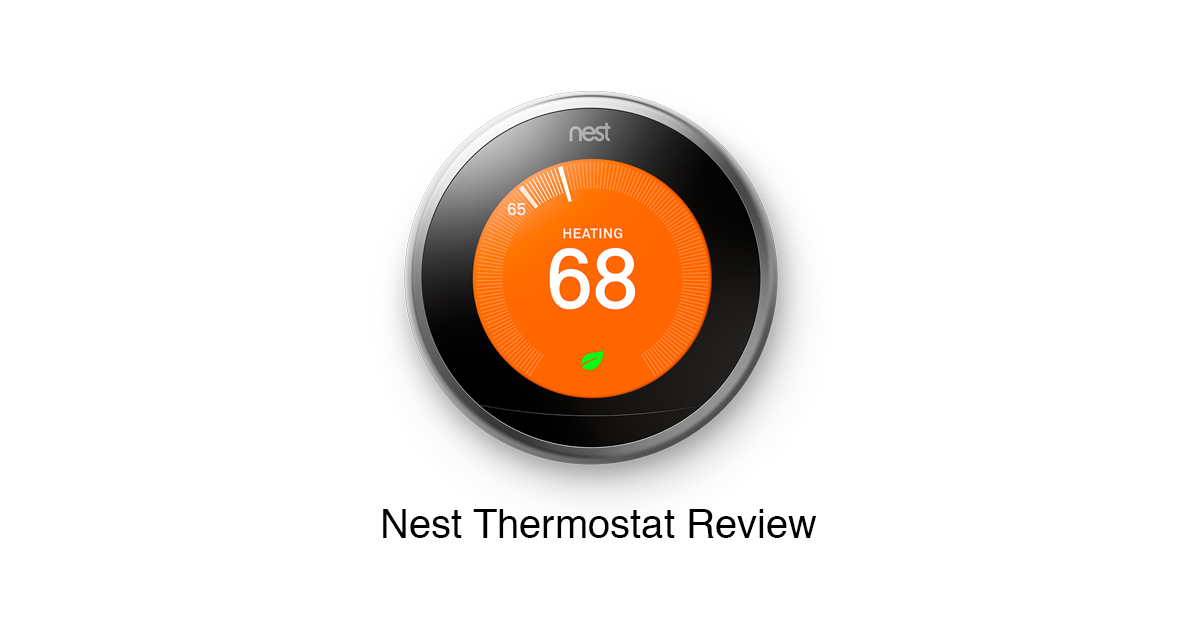
    A Review of Nest Thermostat

    Let’s start off with the most obvious: Do you even need a thermostat in San Diego? I mean… isn’t it always sunny and 72?

    So let me start my review of the Nest Thermostat, 3rd Generation by acknowledging that most San Diegans go months without turning on their heating/cooling system. But, it is winter in an El Niño year in Southern California and we’ve actually used our HVAC a lot more than usual because of the unusual weather patterns. And, as I’ll share below, you can actually use your HVAC system for more than just heating and cooling.

    And ultimately? For me it’s about saving money.

    What is Nest Thermostat?

    Here’s the official description

    A thinner, sleeker design. A bigger, sharper display. The 3rd generation Nest Learning Thermostat is more beautiful than ever. With Farsight, it lights up when it sees you coming and shows you the time or temperature from across the room. And the Nest Thermostat is proven to save energy. That’s the most beautiful part.

    Features

    • Auto-Schedule. No more programming. With auto-schedule, Nest learns from you and programs itself
    • Auto-Away. Don’t heat or cool an empty home. Auto-away adjusts the temperature after you leave
    • Remote control. With the Nest app, you can change the temperature, check energy history and get an alert if your home is too hot or cold
    • Display Screen: 24-bit colour LCD, 480 x 480 resolution at 229 pixels per inch (PPI), 5.3 cm diameter
    • Nest Thermostat - InstallationWi-Fi 802.11b/g/n at 2.4 GHz, 5 GHz, 802.15.4 at 2.4 GHz, Bluetooth Low Energy (BLE)
    • Nest Leaf: You’ll see the Leaf when you choose a temperature that saves energy. It guides you in the right direction
    • The Nest Learning Thermostat works with 95% of 24V heating and cooling systems, including gas, electric, forced air, heat pump, radiant, oil, hot water, solar and geothermal
    • Auto-Schedule – No more confusing programming. It learns the temperatures you like and programs itself, Auto-Away: The Nest Thermostat automatically turns itself down when you’re away to avoid heating or cooling an empty home

    Adam’s Description

    It’s a $250 thermostat that connects to the internet and other stuff from Nest. 

    The Good

    I really like the Nest Thermostat. Really like it.

    Nest Thermostat is the flagship of the Google acquired Nest Labs. ($2.4 billion in 2014) Started in 2010 they kind of lead the pack when it came to home automation for the common home owner. They effectively took what high-end HVAC systems have done for a very long time and brought those money-saving features into homes.

    Installation

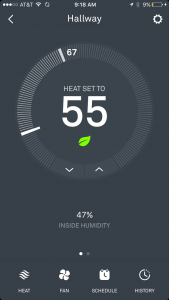
    Nest Thermostat - iOSLike the Nest Cam it was easy to set-up and install, started working right out of the box. Since I already had a Nest account it was super easy to add it to my account. Literally, it took less than 30 minutes to get it out of the box, read all the instructions, disconnect the old thermostat, and install this one.

    As soon as you have it installed and added to your account, Nest Thermostat appears on your device, meaning you can control your home heating and cooling system anywhere you’ve got access to the internet. (And, as we’ve learned, it continues to work just fine if your internet goes down.)

    Features I Like

    1. The most obvious one is that you can control your system from anywhere. I don’t have to think… “Did I remember to turn the furnace on?” I can just look. Likewise, if you’re in bed and you wake up a bit earlier than you normally do… you can get the heat going before you even get out of bed.
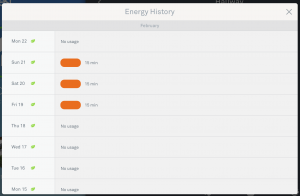
    2. Nest Thermostat - Usage HistoryI like that it learns your behavior. After a few days the thermostat starts making educated guesses about when you’ll be home and when you won’t. (You can manually tell it you are away, as well, then it’ll not heat/cool your house while you’re gone.) We’re actually home quite a bit so early on it had a tendency to say we were away when we were actually home working.
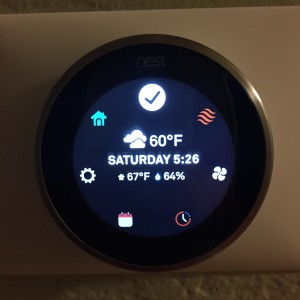
    3. It looks and feels really cool. This is a bit intangible… but the thermostat went from something forgettable and merely functional, to something you actually notice. Plus, they’ve not skimped on the design so it actually feels cool to move the dial. (I’ve actually caught the kids playing with it!)
    4. It lights up when you walk by. This is kind of silly, but I like that when you walk by it lights up and shows you the time or temperature. (Whatever you set it to do)
    5. It tracks your usage. This is HUGE! A few weeks back we had a cold spell, so the heat was running quite a bit more than we normally do. Each day I was able to login and see exactly how many minutes our furnace ran, at what times of day, etc. This actually altered our behavior in a way where we heated the house up early in the morning but not throughout the day, which meant we actually kept the house comfortable while using less natural gas.
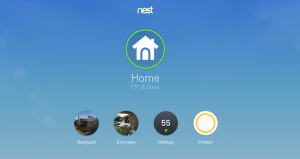
    6. Nest - Account PageIt opens up features of your HVAC system you wouldn’t normally use. One of the things I noticed as I got access to data about our houses heating and cooling was that we tended to build up humidity, which made it a little uncomfortable in the afternoon. Since it’s consistently less humid outside than inside during daylight hours I’ve learned that we can run the system’s fan for 15-3o minutes during the day, very little electricity used, and drop the humidity level 10%-20%, which makes it more comfortable. Without access to data about the interior temperature & humidity compared to the weather outside… I never knew that.
    7. One system talks to another. Like all Nest products, the thermostat has an API connection you can use to share data with other resources the house. (Even non-Nest products) One thing I do is export all of my daily usage data to a Google Spreadsheet. I don’t really know what I’m going to do with that data just yet… but it’s interesting and I wanted to record it, so I did. But Nest also talks to other Nest system. We’ve just started testing Nest Protect, their line of smoke & carbon monoxide detectors. You can set it up so that if there is steam detected in the kitchen or say you’ve burned a bit of dinner, the HVAC system will automatically run the fan for 15 minutes. (I’ll share how to do that and a full review of Nest Protect in a later post.)
    8. Saving me money. At the end of the day, it’s not about looking cool, it’s not about connecting to the internet or talking to other things… it’s about giving us the information we need to minimize our energy usage. Each month, they send you a report about your usage and the longer you use it the better this will get.

    The Bad

    Really, the worst part about Nest Thermostat is the $250 price tag. As I was researching buying it… as well as the reality that I’ll want/need to add one for the Tiny Office… I kept wondering about it’s shelf life. If this product is six years old and it’s on generation three, how long will it be until the one I’m buying right now is obsolete?

    Other than that there just isn’t anything I don’t like about it.

    The Money Line

    We’re officially in deep with Nest products. Multiple Nest Cam’s, soon we’ll have three Nest Protect’s, and two Nest Thermostats. That translates to a lot of money.

    Is it all worth it? I do believe the thermostat will pay for itself over the next 18-24 months. But the rest? Let’s be honest and admit that they are gadgets. 

  • Zika and Haiti and Why You Should Still Go

    Zika and Haiti and Why You Should Still Go

    In April I’m going with a group of youth workers from around the United States who are interested in bringing teams from their church to Haiti… but need to go check it out first.

    Since that last post, the zika virus has become a front page news story. The impact of the virus itself, from what I understand, is relatively mild as far as viruses go. (Malaria is more common, dengue is more dangerous, chikungunya is more painful.) But the potential impact on unborn children has the potential to be absolutely devastating. There are governments encouraging families to not get pregnant if they live in an infected area, even the Pope weighed in this week, relaxing the Catholic Church’s strict prohibition on contraception: ” “On the other hand, avoiding pregnancy is not an absolute evil. In certain cases, as in this one [Zika], such as the one I mentioned of Blessed Paul VI, it was clear.”

    As of right now there is not a travel warning for Haiti related to the Zika Virus. But there is a Level 2 travel notice from the Centers for Disease Control providing travelers to infected areas with information on how to avoid contracting the  virus. These precautions get personal… sexual even… and that, I’m sure, is bringing about caution on traveling to anywhere that might be infected.

    We Will Be Cautious

    This is the great advantage of working with the local church in Haiti through Praying Pelican Missions. You will be the guest of local ministry leaders, people who are living with zika every day, who will go above and beyond to make sure that every detail of the trip is well thought out and safe for you. This extends far beyond mosquitos! Where you sleep, what you eat and drink, where we travel… all of these things are done in a way that manages the risk for you.

    There’s no guarantee that you won’t get sick. But as someone who has been to Haiti a number of times I’m much more worried about a participant getting sick from dehydration than I am anything else. (Kidney failure is a big deal!)

    We Must Go Because We Are Sent

    When it comes to risk and the American fascination with risk abatement, I like to keep things in proper perspective. We don’t do missions work because we want to. We don’t do missions work to see stuff or to check off a box that says “been there, done that, got the t-shirt.” We do missions work because we are sent by God to be the hands and feet of Jesus. When we lift up the local church by providing encouragement (and empowerment) for a pastor’s vision we are also partnering with the God who is big enough to see the big picture, powerful enough to prevent harm, and wise enough to allow us to trust that His ways are much safer than our ways.

    When I think about doing something risky in response to His calling, I think the risk is not going.

    There’s still time to join the Haiti Vision Trip in April. Click here for more info

  • The Home Depot I Wish Existed

    The Home Depot I Wish Existed

    I’ve got a love-hate relationship with Home Depot. To be transparent, right now, at the tail end of the Tiny Office project I’ve got a hate-hate relationship wit Home Depot.

    Love that it’s convenient. While they don’t have a lot of selection most of my trips are fruitful, I find something that’ll work.

    Hate how stupid it is. Literally, every time I drive away I can’t believe how dumb of a company they are. I’d buy so much more if they were only smarter.

    Here’s what I wish Home Depot was:

    • A little more like Über. I don’t need a truck and I don’t need to make three trips over there in one weekend. But seriously… why in the world can I look at stuff on their app, order it for in store pick-up, but not say… “Bring it to me.” I’d gladly pay $10-$20 for it to show up at my door within 3 hours, more for a big order like a bunch of materials.
    • Let me track my purchases in your app/website and assign them to projects. I like that their app allows me to create lists, tells me an item is in stock at my local store, but why in the world can I not store what I’ve already purchased into projects?
    • Group projects together on the app, tell me what I’m missing, show me videos, offer suggestions. I’ve spent hours explaining to Home Depot employees what I’m doing, I’ve actually had to go and get a product I just purchased the day before to show them… “TELL ME WHAT HOSE I NEED TO CONNECT THIS THING YOU SOLD ME TO THAT THING YOU SOLD ME!?!?!?!” Why doesn’t the app tell me that?
    • Stop pretending you aren’t in the day labor business. Here in California (and lots of other places around the country) the Home Depot parking lot is where you can pick up a day laborer or two to help with your project. I’ve never done it because I don’t know how it works. I’m sure in 99% of cases it’s great and works out well. Likewise, everyone knows it’s not 100% legal so why doesn’t Home Depot create something to make it a bit more legit for everyone? Literally, there is a business opportunity in their parking lot they are ignoring. Home Deport really could be a great way to connect with vetted handymen, day labor, plumbers, etc.

    These are some things I’d like to see Home Depot do better, to better fit my needs. What would you like to see them do? 

  • You Don’t Really Care About Privacy

    You Don’t Really Care About Privacy

    Last week, I listened to this podcast interview with Walter Kirn [best known as the author of Up in the Air], largely based on his November 2015 article  in The Atlantic, “If You’re Not Paranoid, You’re Crazy.”

    As I travel around talking to leaders, parents, and teenagers about mobile devices I get questions from a myriad of different categories:

    • Family life, how mobile devices are positively and negatively impacting the home.
    • Personal life, how mobile devices are positively and negatively impacting the emotional life, mental life, and physical life of individuals.
    • Parental duty, helping teenagers navigate an online life that is healthy for them.
    • Specific apps, information & concerns about specific mobile applications.
    • Specific devices, technology that people have bought, are thinking of buying, or questions about device specific settings.

    But I don’t find many people even thinking about the larger question: Do we care that we are carrying a device in our pockets or purses that is tracking our every move? Do we care where that information goes? Do we care that our government is monitoring what we post online? Do we care if other governments or non-government actors are tracking us? Do we care if companies are developing apps that can turn your phone into a listening device, your casual conversations converted to text and that data mined to target you with advertising? Do we care that the camera on your phone or laptop can be used to remotely take photos of you without your permission?

    You Say You Care But You Don’t

    Here’s what I’ve surmised from hundreds and hundreds of conversations. People say they care about all of this but they don’t really. At least not enough to change their behavior.

    Why is that? It’s actually kind of simple.

    People are much more worried about protecting their privacy from the people in their lives than they are about an app developer, the United States government, or even non-U.S. governments.

    An interpersonal breach of privacy has impact they can see. A remote intrusion, no matter how much more private– say listening to the conversations you have with your spouse or looking at the photos on your phone… has impact that seems inconsequential at the time.

    In the end, convenience and cool gadgetry far outweighs any and all privacy concerns. 

    Black helicopters, giant data farms in the desert, listening devices posted up in public places and in your pockets and no one seems to care. 

    Why? The neuroscientists have won.

  • Is Facebook Messing With Your Brain?

    Is Facebook Messing With Your Brain?

    Among researchers there’s some controversy surrounding a study conducted by Facebook internal Core Data Science Team.

    At issue is an experiment conducted to see if adjustments to Facebook’s timeline algorithm, which determines which of your friends status’ to show you, can be manipulated to effect your mood.

    Here’s the study, “Experimental evidence of massive-scale emotional contagion through social networks.

    To me, there seem to be two big important questions to process:

    1. From a user perspective, are users made aware that Facebook [the world’s largest social network with more than 1 billion active users] has the ability to manipulate people’s emotions on a massive scale? This means that they have learned that they have the ability to effect what you are thinking about, how you feel about those topics, etc.
    2. From an ethical perspective, is it OK that Facebook conducted a massive experiment impacting the emotions of almost 700,000 people without their consent?

    User Perspective

    Facebook is not a public utility. It’s a for profit business.

    It’s in their best interest to get you to come back to their site as much as possible, to enjoy using the site, to find the site useful for your daily life. Why? Because the more you like Facebook the more time you’ll spend there and the more money they’ll make off of you from advertising.

    As I’ve taught for years, it’s important to remember your relationship to Facebook. You aren’t Facebook’s customer, you are their product. Facebook’s customers are advertisers who use the data you freely share to target users who might be interested in buying their products/services.

    You’re familiar with the phrase, “Happy wife, happy life.” All this experiment was testing was the idea that they could apply what social science has learned about emotional contagion in the physical to the digital space. Is it “Happy timeline, happy user?” 

    As social media researcher Danah Boyd correctly points out, every media company curates content to increase readership/viewership:

    Facebook is not alone in algorithmically predicting what content you wish to see. Any recommendation system or curatorial system is prioritizing some content over others (including the one used here on Medium). But let’s compare what we glean from this study with standard practice. Most sites, from major news media to social media, have some algorithm that shows you the content that people click on the most. This is what drives media entities to produce listicals, flashy headlines, and car crash news stories. What do you think garners more traffic?—?a detailed analysis of what’s happening in Syria or 29 pictures of the cutest members of the animal kingdom? Part of what media learned long ago is that fear and salacious gossip sell papers. 4chan taught us that grotesque imagery and cute kittens work too. What this means online is that stories about child abductions, dangerous islands filled with snakes, and celebrity sex tape scandals are often the most clicked on, retweeted, favorited, etc.

    Source

    All Facebook tested as if they could adjust their algorithms to show you things that’d make you happy, instead of what was popular. (Think baby announcements, job promotions, etc.)

    And yet… it does ask a very important question worthy of consideration. As a user am I aware of and OK with Facebook having the power to manipulate what I think about various topics?

    This practice reminds me of the movie The Truman Show where the television show manipulated Truman’s day-to-day life in order to manipulate their own ratings.

    When you think about this power to manipulate your emotions you have to wonder if Facebook is also testing the capability of testing what they can manipulate you to buy, think about kale, or vote for in the presidential election?

    Ethical Perspective

    There are always ethical concerns when it comes to research and experimentation. The question yet unanswered by Facebook’s researchers is if they needed informed consent of the 700,000 users they experimented with or was this rather small data set in light of all Facebook’s users somehow covered within Facebook’s existing terms of service.

    There’s no doubt that if the interest of the research was market study, they were covered under their normal terms of service. As a Facebook user you’re basically exchanging your free usage of the service for Facebook’s ability to do whatever they want with what you post, share, or read. (Your mom was right. There’s no such thing as a free lunch.)

    But there is a lingering question about the purity of the research they conducted, it’s academic viability if it’s not able to be replicated and users may have not had direct consent to being experimented on.

    I think an important question to reflect on is… “Should a for-profit business, one with the ability to impact the daily lives of more than a billion people worldwide, be allowed to manipulate the emotions of users without concern for broader concerns?

    What Does This Mean for Users?

    Again, you need to be aware that because the service is free you are not their customer. Just like any media company, it’s within Facebook’s prerogative to make as much money as they possibly can off of you.

    With that said, you also need to be aware that what you are seeing isn’t organic. It’s manipulated by an algorithm designed to make you want to keep using Facebook, to keep that tab open, to comment on that thread, to share that status or video.

    Just like notifications are the devil because they mess with your brain at a subconscious level to interrupt whatever you are doing to look at your device, Facebook is moving beyond just the subconscious level to manipulate your day-to-day emotions.

    It’s not a warning. It’s simply the case that you need to be aware of how the game is played.

    Is Facebook messing with your brain? Of course! 

  • January 2016 – Youth Pastors in the News

    January 2016 – Youth Pastors in the News

    Here’s a list of headlines from the month of January 2016 for the Google News search term, “Youth Pastor.” I’ve deleted multiple links to the same instance.

  • A Review of Nest Cam

    A Review of Nest Cam

    Now that we’re homeowners again I’m in the midst of a whole litany of home improvement projects. (I’m even writing today in my half built Tiny Office to get a sense of where I’ll want furniture, install outlets, and stuff like that.)

    Along the way I’m testing out home automation gadgets, trying to find some balance between playful stuff, home safety & security, and energy efficiency.

    What is Nest Cam?

    Here’s the official description. 

    Meet the Nest Cam security camera.

    24/7 live streaming. No dead batteries. No missing moments. This is what a security camera should be.

    Features

    • 24/7 live video streaming – See your home on your phone in 1080p HD. And control Nest Cam from anywhere
    • Alerts on your phone – Get motion and sound alerts so you know if anything happens
    • Night Vision done right – See the whole room at night – not just a limited spotlight view
    • Talk and listen – Hear the baby. Or talk back to get someone’s attention
    • Quick, easy setup – Plug in Nest Cam and download the Nest app to get started. No hub needed
    • Don’t miss a thing – Subscribe to Nest Aware to get 24/7 continuous recording and powerful cloud algorithms that give you personalized alerts. Every camera comes with a free 30-day trial

    Adam’s description

    It’s a $200 web cam with a $100/year subscription service. 

    The Good

    I’ve been testing Nest Cam for about a month. So far, so good It’s easy to install, easy to use, and works as advertised.

    Nest Cam was originally developed by a startup called Dropcam, acquired by Google Nest’s Labs in summer 2015. Google, Amazon, and Apple all seem to be fighting to get a foothold in the emerging market of home automation things called The Internet of Things. So for Google, acquiring Dropcam probably just made sense and they wanted to get it before their competitors did.

    Installation

    Screen Shot 2016-01-26 at 9.20.04 AMOut of the box Nest Cam comes with a few physical installation options. It comes mounted on a well-weighted metal stand with a magnetic base. It’s good looking, nice enough to just plug it in, stick on a shelf, and forget about. The stand is easy to aim in whatever direction you’d like. There’s also a wall mount that’s easy to install, the camera then snaps to the base with a magnet.

    The software is also super easy to install. You install the Nest app on your phone or tablet (iOS | Android) then plugin the camera. The only hitch for me was that I had to then create a Nest account on my phone when doing so on the website would have been a lot easier for my fat fingers. Following the instructions in the box you first pair the camera to your phone and then the phone app helps you install the Nest Cam onto your home wifi. This process takes about five minutes and then you’re up and running.

    Features I Like

    It’s a good camera that’s simple to use, set it and forget it. We use it to broadcast at 720p but you can also use it at 1080p or 360p. We chose 720p because it was clear enough for our needs but didn’t bog down our wifi. We found 1080p did.


    I like that the corresponding app (and website) is easy to use, you can toggle features on or off based on your preferences.
    I like that we can set it up on a schedule or remotely turn it on or off, etc.

    Nest Cam Alert Areas
    Nest Cam Alert Areas – You create zones and toggle which you’d like to receive alerts about.

    I like that you can set alert areas. One of the key features is that you can chose to get a notification if there’s motion in an area you define. This is pretty simple… you just go into your account on the website, draw a picture around what you want to monitor, and indicate that you’d like to get an alert if there’s motion in that area. That’s helped us cut down on some of the annoyance we had with it originally, which I’ll share below.

    I like it’s portability. While we have ours permanently mounted on the exterior of our home I’ve seen other users who move it around, even using it as a cheap and easy way to broadcast meetings, events, etc. That’s pretty cool!

    I like that it’s efficient. We have one mounted outside of our house in a place where we don’t have power. So we’re actually using a Jackery Giant (USB battery pack) to power the camera, each charge lasting about 20 hours.

    I like that it works with other Nest products. In the future I’ll write reviews of Nest’s other products, their thermostat and smoke detector. But, so far, we really like that all of those devices work together and are accessible from the same app.

    I like that Nest is providing a way for other manufacturers and developers to interact with Nest products. I’m using things like IFTTT to automate a whole bunch of stuff around the house, more on that in another review.

    The Bad

    The first is the most obvious. It’s too expensive for what it is. I recently purchased web camera’s of similar quality for about $30 at Wal-Mart. Is the fact that it has a wifi capability and an app worth an extra $170? For me it was. But for lots of people I don’t think it is. I have a feeling that it’ll drop to about $99 before Christmas 2016 and that they’ll release a new $199 version about the same time.

    I don’t like that it’s not waterproof out of the box. It’s not rated for outdoor use, per se. But let’s be honest… most people are going to want to use it outside. It makes no sense that you have to buy aftermarket accessories to make it waterproof. This reminds me of the first few versions of GoPro where you bought the camera and then you spent three times that on accessories just to get the silly thing to work. We added a $20 waterproof case from Dropcessories that allowed us to mount them outside where they might get wet. That’s $20 to fix what is otherwise a design limitation.

    Nest Cam Review
    $100 per year for one camera, $150 per year for two cameras.

    I don’t like that you need to pay for Nest Aware. To get all of the features of Nest Cam to work you really need Nest Aware, their subscription service that records live footage. Basically, without Nest Aware you can’t go back and look at things your camera has recorded. Say… someone prowling your home. Without the Nest Aware subscription you could get the exact same thing with a waterproof GoPro Hero 4 Session and their native app.

    What About Data Security?

    “But Adam, you’ve long said that anything you post online is not private, it’s public. How is this different?”

    Well, first of all it’s definitely in the best interest of Google to protect the data of Nest users. Since they are investing billions of dollars in home automation, you better believe that they want to keep this stuff secure from hackers.

    Second of all, the way that we’re using Nest Cam… to capture video of outside of our home… is not technically “our private space.” The Supreme Court has affirmed that things that happen outside of your home are not assumed to be private. Just like I can take a picture of you on the trolley without your permission, I can video things that happen outside of my house without needing anyone’s permission. (For non-commercial purposes, that is.)

    Third of all, while I’m OK with the perception that what we’re broadcasting is indeed private, I’m aware that it potentially is not. I’m 100% aware that my privacy is a perception in a lot of ways. (After all, I carry around a recording & tracking device in my pocket all day…)

    I would be more concerned about Nest Cam streaming 24/7 inside of my home. I’m sure that my account is somehow vulnerable to hackers (or government’s prying eyes) and I just don’t think it’s a great idea to make it easier for someone to see what’s happening inside my house are even pick up the audio of people in my house talking.

    But the things that we’re using with Nest Cam (and the thermostat) aren’t directly tied to our house from inside of the account. For instance, while the thermostat is recording a lot of information about our house… it’s benign information like humidity levels, outside temperature, stuff like that. When/if we start using Nest for more sensitive stuff… I’d at least like to see my Nest account protected with 2-factor authentication. 

    The Money Line

    We really like Nest Cam. While we initially were infatuated with it we’re finding it to fit into our household rhythm. We’ve used the advanced features to make the notifications work for us, so instead of alerting us of every car that drives down the street or every time the wind blows a tree… we’re getting adjusting it so that it’s only alerting us when we want to be alerted, like if someone is at the door.

    Is it worth $200? I don’t know. What’s the cost of being able to check in on your house when you’re away? What’s the value in knowing who is poking around in front of your house when you’re not home?

    I think $200 is buying us a little bit of assurance and, at least for now, it’s worth it.