Tag: smartphone

  • Adam McLane, tech dork

    As if it were not official already. Last week I totally proved my tech dorkiness repeatedly. From randomly fixing computers to picking up the new MacBook to whimsically talking about PHP code and fixing a blog. Of course, this was on top of my normal compulsions to Twitpic all over the place, post to Twitter while driving, and some other things.

    We even joked about my starting a weekly “Tech Tip from Adam” for folks looking to get a little more dorky.

    But my dorkiness was confirmed forever on Friday. Going through the security screening at San Diego I popped open my bag and pulled out 2 MacBooks and my Smartphone. The Homeland Security guy just kind of stared at me.

    It’s true, I love technology. I love gadgets. I love being connected and learning new ways to connect. I guess that means I love being a dork. Wait until July 11th when I pick up the new iPhone.
  • Computer Issues

    Just to prove that I am not immune to technology problems, hear my tale. Yesterday I was doing normal work stuff… had open Word, iTunes, iChat, and Mail. Then iTunes started freaking out. Then it spread and Mail wouldn’t work right. I did a reboot and a few other normal Mac fixes.

    Long story short, I dashed off to the Apple Store for an 8:00 PM appointment to have my laptop looked at. After fiddling with it for about 45 minutes it was decided that they’d keep it over night. The guy at the Genius Bar said it wasn’t the hard drive and it wasn’t anything obvious. (We both agreed that if it were a Windows machine we’d presume it to be a virus… that’s how this thing operated.)

    I’m hoping to get it back later today. I really need it as it has a lot of stuff for MainStreet tonight as well as some stuff for meetings Thursday.

    To make it worse, my trusty smart phone is acting up. Generally I can depend on my getting all of my tech stuff done between my phone and my laptop. This is an interesting revelation for sure.

  • Geek Tool: Turn your smartphone into a mobile wireless router

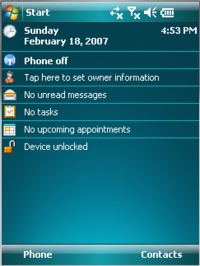
    Windows Mobile 6I have an ultra-swanky Smartphone. You know, one of those devices you see people carry around and you think… I’d like to be surfing the internet too!

    It takes 2 megapixel pictures, connects nicely to my Outlook, and a whole bunch of other nice features.

    But there was one thing it didn’t do that I’ve always wanted to do. I’ve always wanted to be able to  be able to use my cell phone’s mobile internet connection to hook up my laptop. You know, you’re out on a boat in the middle of the lake and you just can’t browse the internet or post to YouTube or even blog quite like you’d want to. More importantly, I’ve been traveling and needed to do important things on my laptop and not had access to wireless. (Or not wanted to pay $10 for crappy wifi at an airport or conference center.)

    Well, now I can. I just installed a tiny program on my phone which allows me to convert my phone into a mobile wireless router.  This means that for the extra $20/month that I pay AT&T for my mobile internet connection I can now use my laptop too. Sure, it won’t be blazing Wireless N or even Wireless G. But it is basically Wireless B.

    This could even be a fix for folks who live rural and can’t get anything faster than broadband where they live. (Well, satellite… but that’s about the same speed as this for 1/2 the cost.)

    If you have a Windows Mobile 6 equipped Smartphone. Go here and try it for yourself. It’s a free program too.

    So next time you’re somewhere with me and you want to use your laptop to do stuff, just tell me to turn on my mobile router.

    HT to Make Magazine